Family sharing
Send your family a link or show a QR code. Everyone sees and edits the same plan, meals and tags, no sign-up needed.
 CravePlan
For iPhone, iPad and Apple Watch
CravePlan lays out the week's breakfasts, lunches and dinners, turns the dishes into a shopping list, and keeps everyone in the family on the same plan.
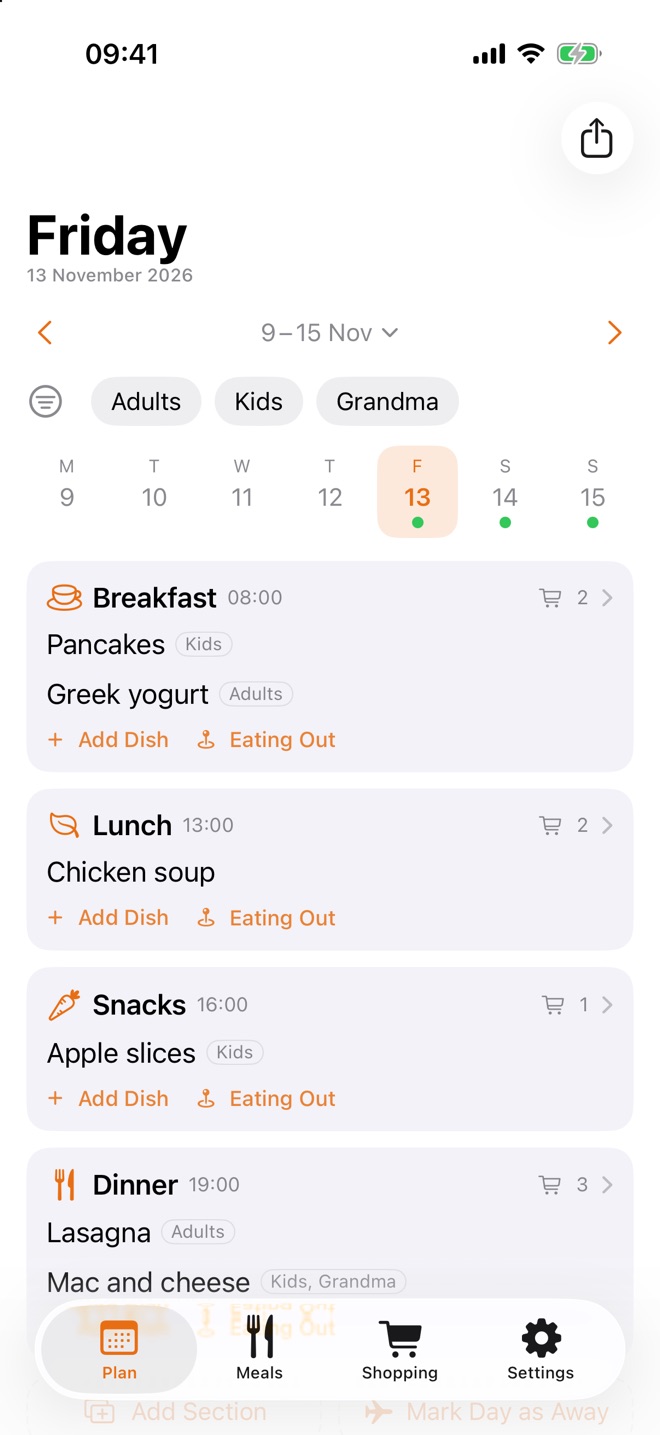
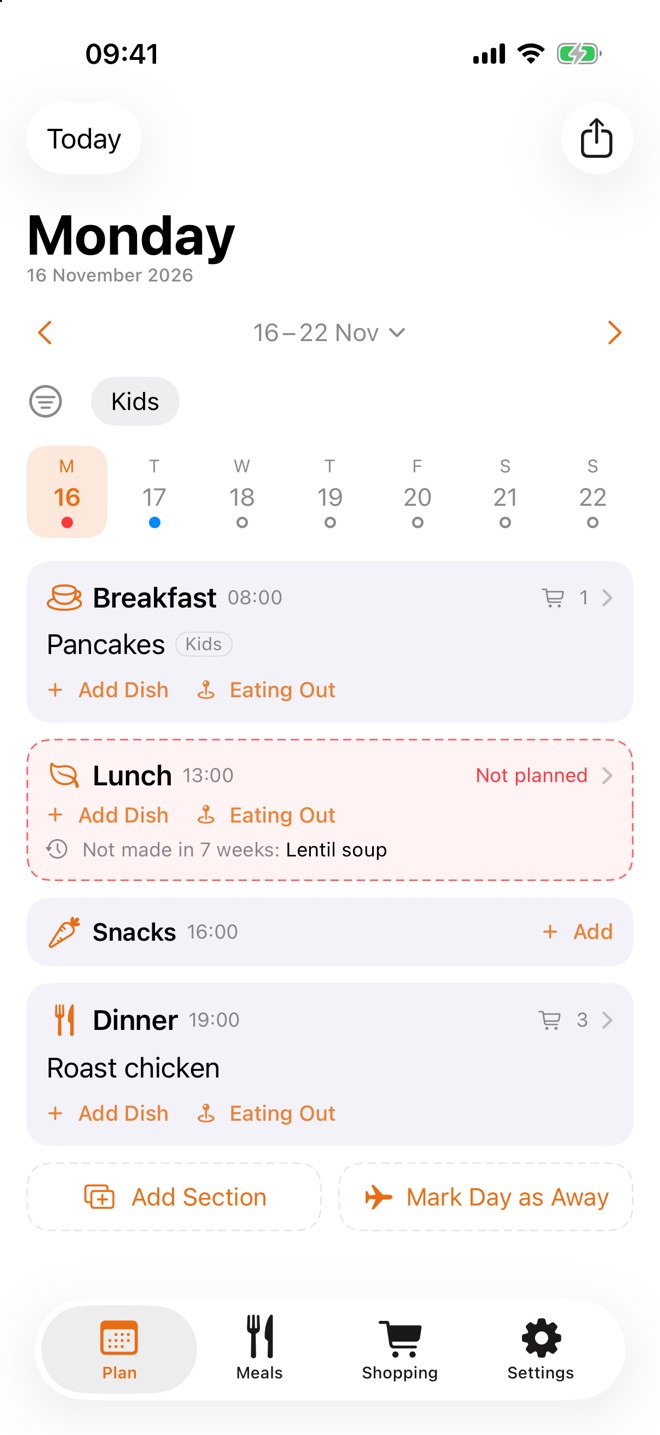
Plan the week
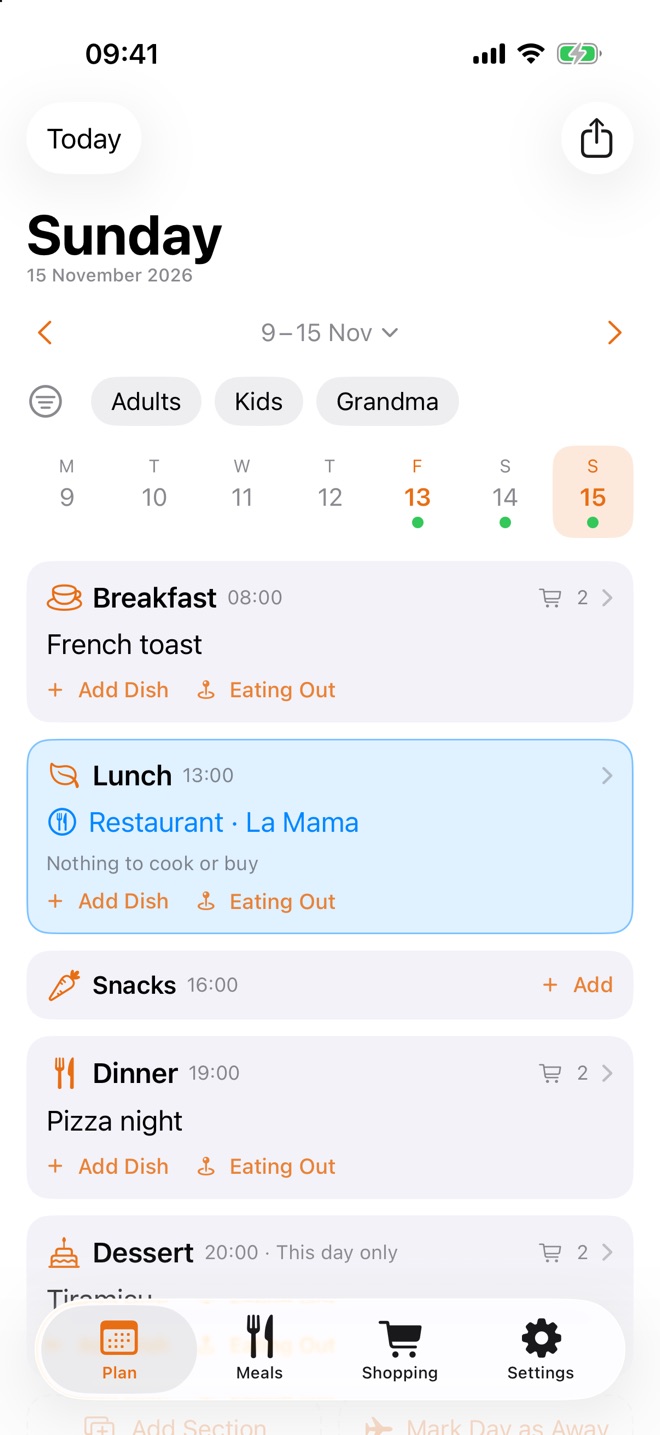
Pick a day and fill its Breakfast, Lunch, Snacks and Dinner. A dot under each day shows at a glance what's planned: green when every main meal has a dish, red when one is still missing.
Your meals
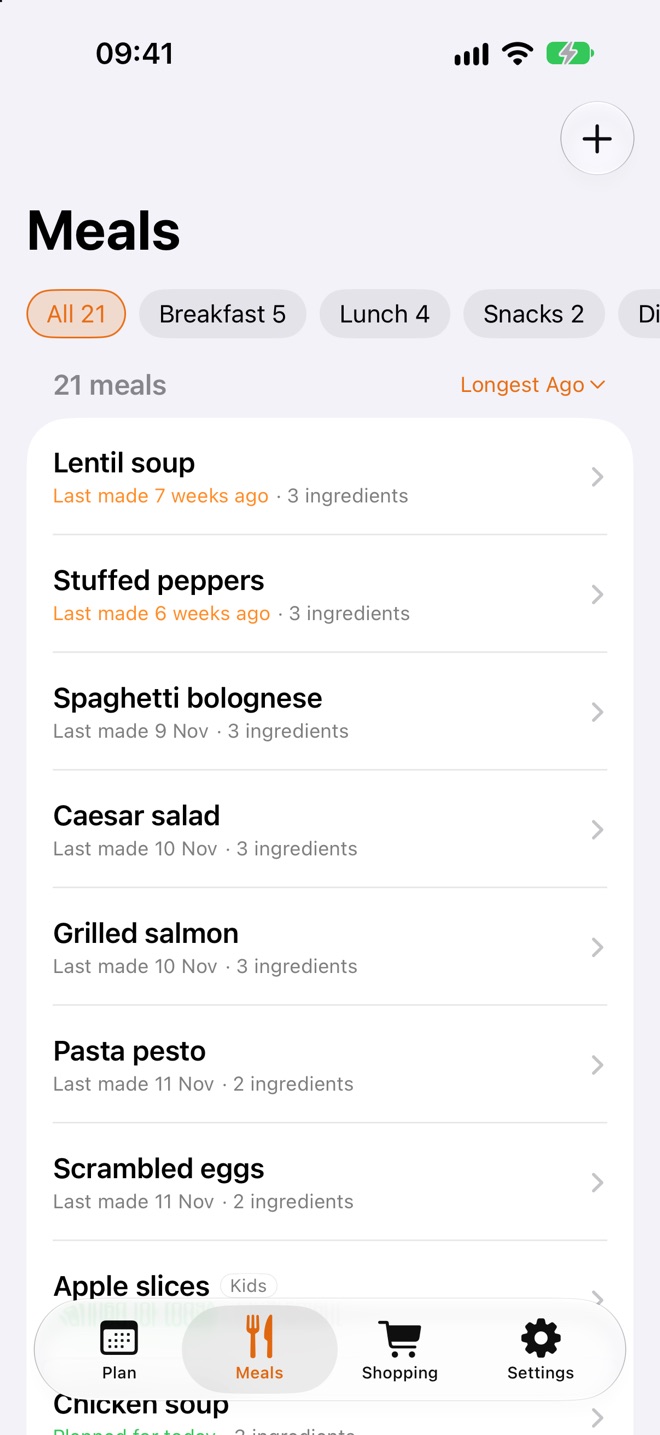
Every dish you plan is saved with its ingredients, so next time it's one tap away. The Meals tab lists them by section and shows when each was last made, so the favorites don't come round too often.
Shopping list
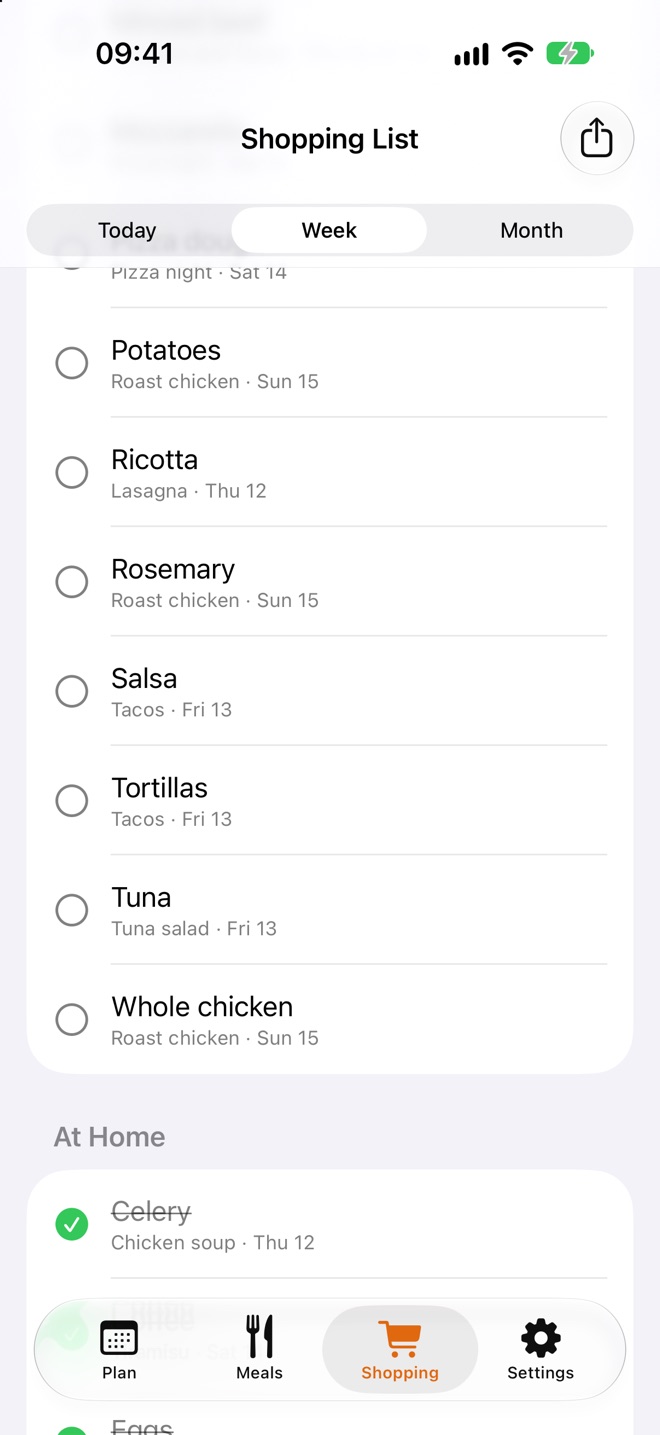
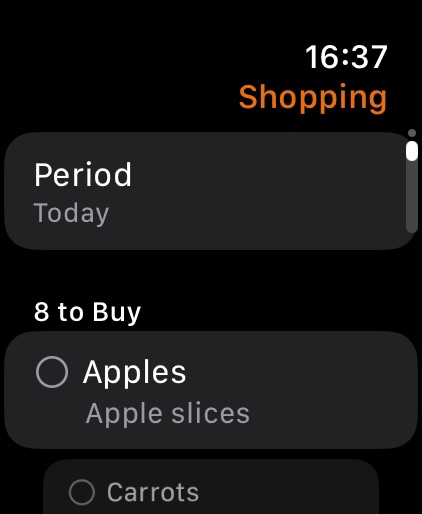
CravePlan gathers the ingredients of every planned dish for today, the week or the month. Tick what you already have at home, and the rest is what to buy. Share it as text, ready to import into Cart Hub.
Ideas & eating out
When a meal is still empty, CravePlan suggests a dish you haven't made in a while. Eating at a restaurant, ordering in or away for the day? Mark it, and the meal counts as covered.
Print it
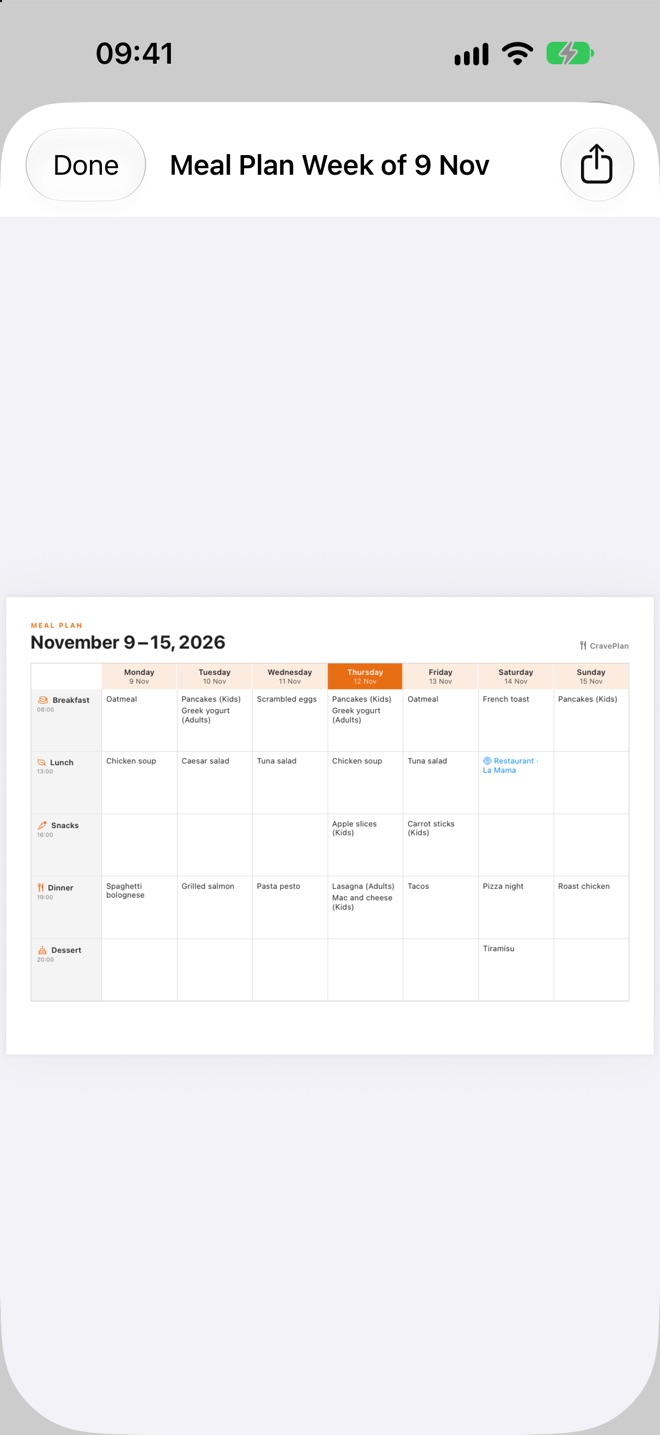
Export today, this week or this month as a PDF: a clear table with every meal, ready to print and pin on the fridge, or to send to whoever is cooking.
Apple Watch
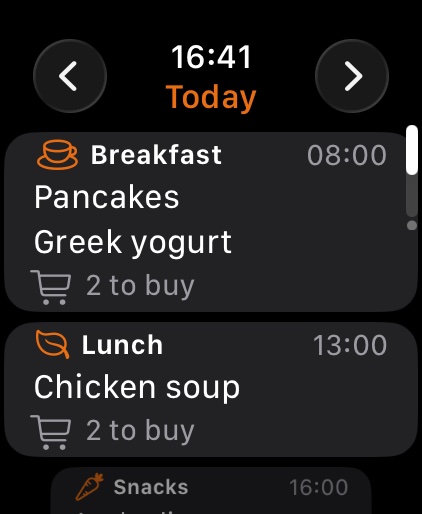
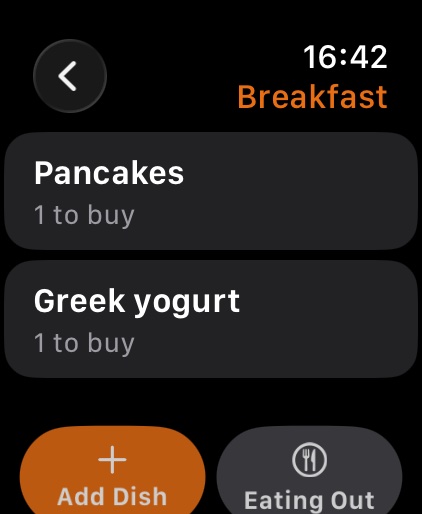
See today's meals, tick ingredients off in the store and add a dish by voice. Put the next meal or what's left to buy on your watch face. CravePlan on Apple Watch syncs on its own, so it works even when your iPhone stays at home.
Send your family a link or show a QR code. Everyone sees and edits the same plan, meals and tags, no sign-up needed.
At the end of the week, a nudge if next week isn't planned or there's still shopping to do.
Send the shopping list to Cart Hub and it lands sorted by aisle.
Tag dishes for adults, kids or grandma, and plan different dishes for the same meal.
A week board on iPad, and the same app on Mac with Apple silicon.
A short tour in Settings shows how everything works, step by step.
No ads, no analytics and no tracking. Your plan is kept only to sync it across your devices and with the people you invite, and you can delete it with your account at any time.
Questions or feedback? Email mihaiciurea@gmail.com. In the app, Settings → App Tour shows how each feature works.